Home Office Organization for Small Spaces
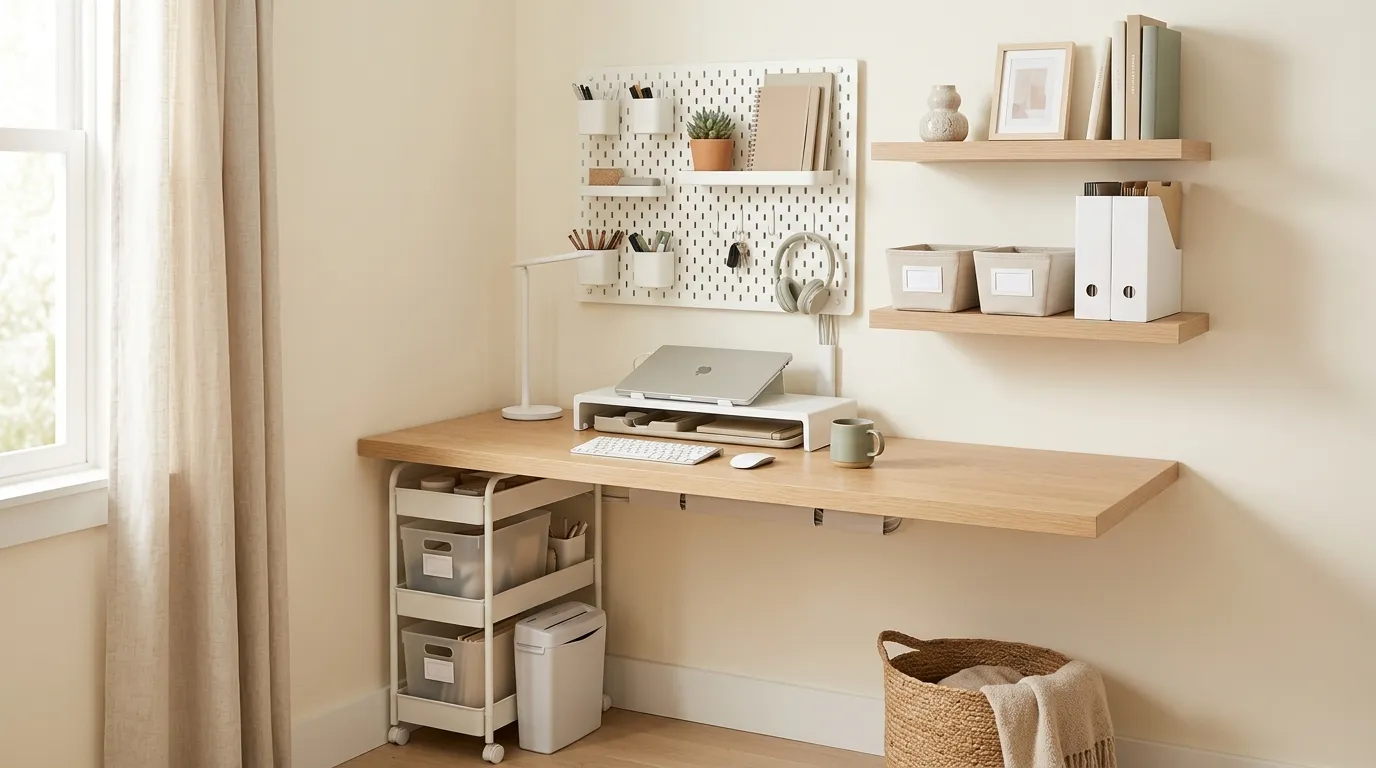
Table of Contents
What is the most effective home office organization system? Keep only your monitor, keyboard, and mouse on the desk surface—nothing else permanently. Route all cables in a tray underneath. Use a monitor arm to lift the screen off the desk and reclaim that footprint. Implement a three-folder paper system (Inbox, Action Required, To File) and process it once weekly. Vertical storage on the walls handles everything that used to compete for desk space.
Research on office environments consistently shows that visual clutter reduces focused work performance—every stray receipt, forgotten coffee mug, and tangled cable that sits in your field of vision consumes a small but real amount of cognitive attention. In a small workspace where everything is closer to your eyes, this effect is stronger.
The good news: a small home office, organized correctly, can function better than a large disorganized one. The constraint of limited space forces the decisions that make any workspace more efficient.
1. Ergonomics First: The Setup That Makes Everything Else Possible
Before organizing anything, get the physical setup right. A workspace that causes back pain or neck strain will not be usable regardless of how well organized it is.
Monitor height: Your eyes should align with the top third of the screen. Most factory monitor stands position the screen too low, which causes forward head posture over time. A VESA monitor arm replaces the stand and lifts the monitor to the correct height—and the arm itself frees a substantial amount of desk footprint compared to any monitor stand or riser.
Chair: An ergonomic chair is not optional for anyone working at a desk for more than two hours daily. Budget options from brands like Hbada or Gabrylly provide meaningful lumbar support at a reasonable price. The cheapest ergonomic chair is worth more to your productivity than any decorative desktop accessory.
2. Cable Management: The Highest-ROI Desk Upgrade
A tangle of cables hanging behind a desk makes the entire workspace feel chaotic and is the single easiest visible improvement to make.
The setup, step by step:
- Unplug everything from the desk. Start from a completely blank slate.
- Mount a wire management cable tray to the underside of the desk. Many attach with strong adhesive, which is sufficient for most setups.
- Place the power strip inside the cable tray or mount it to the underside of the desk with its included bracket.
- Plug all devices into the mounted power strip. Now the only cable running from desk to wall is the single power strip cord.
- Use velcro cable ties (not plastic zip ties—velcro allows easy reconfiguration when you swap devices) to bundle any remaining visible cables along the monitor arm.
For a detailed visual walkthrough, the Lifehacker cable management guide shows the routing process clearly.
3. The Clear Desk Policy
For a desk under 48 inches wide, this rule is non-negotiable: nothing lives on the desk surface permanently except your monitor, keyboard, and mouse.
The Rule of Three: The only non-electronic items allowed on the desk surface at any time are three things maximum. For most people: one notebook or planner, one pen, and one drink. That is the complete list.
Everything else—pen cups holding 15 pens, paper trays, random items that "temporarily" land on the desk and stay for months—must have a drawer, shelf, or bin as its permanent home. If your desk has no drawers, a simple under-desk clamp-on drawer provides a home for daily-carry small items without taking up any surface area.
4. Paper: The Action File System
Physical paper creates desk chaos faster than anything else because it arrives constantly and has no obvious home.
Three folders, that is the entire system:
- Inbox: Everything new that arrives lands here, unprocessed
- Action Required: Documents that need a phone call, signature, payment, or response
- To File / Digitize: Papers to be scanned and then shredded
Pick one fixed time weekly—Friday at 4pm works for many people—to process the Inbox completely. Every item gets moved to Action Required, To File, or recycled. After processing, the Inbox is empty.
For documents worth keeping permanently, a phone-based scanner app (Adobe Scan, Microsoft Lens) converts physical paper to searchable PDF in seconds. In 2026, almost all documents except passports, birth certificates, insurance policies, and property deeds can be safely digitized and discarded as physical copies.
5. Vertical Storage
When the desk surface is cleared to its minimum, the question becomes: where does everything else live? The answer is the walls.
Floating shelves above the monitor: Install one or two shelves directly above the desk to hold reference books, a small plant, and decorative items that make the space feel comfortable without cluttering the work surface.
Pegboard: A pegboard panel on the wall beside the desk is the most flexible small-office storage tool available. Headphones, scissors, cables, sticky notes, and frequently-used accessories all hang here, instantly accessible and completely off the desk. The configuration reconfigures in minutes as needs change.
6. Separating Work from Home
For anyone working at a home office that shares a room with a bedroom or living area, creating a psychological boundary between work and personal space is important for maintaining the ability to genuinely disconnect at the end of the day.
Practical boundaries:
- A rug that defines the "office zone" visually even within a shared room
- A room divider or folding screen behind the desk that prevents the bed from being visible during video calls—and prevents the workspace from being visible while sleeping
- A firm end-of-day routine: laptop closed and placed in a drawer or bag, work materials stored out of sight
For the bedroom-specific morning setup that complements this routine, read our Morning Routine Organization Guide.
Frequently Asked Questions
How do you organize a home office in a very small bedroom?
How do you hide messy cords on a home office desk?
Do I actually need a filing cabinet for home papers?
Join Organized Haven
Get weekly home organization tips, DIY décor ideas, and exclusive printables delivered straight to your inbox. Join 10,000+ homeowners today!
We respect your privacy. Unsubscribe at any time.
Written by Danilo Souza
Danilo Souza is a Home Organization Expert and Interior Decor Specialist with over 8 years of experience in transforming cluttered, stressful rooms into functional, peaceful, and beautifully designed living spaces. His practical, step-by-step methodologies empower homeowners to create lasting organizational systems that fit their lifestyle and budget.